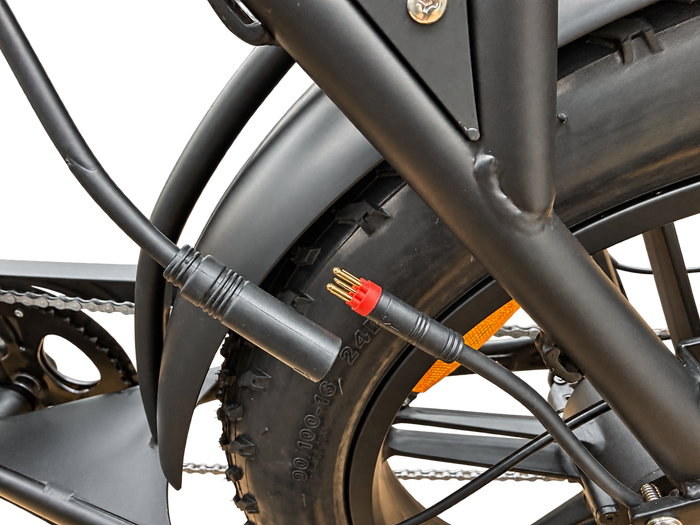
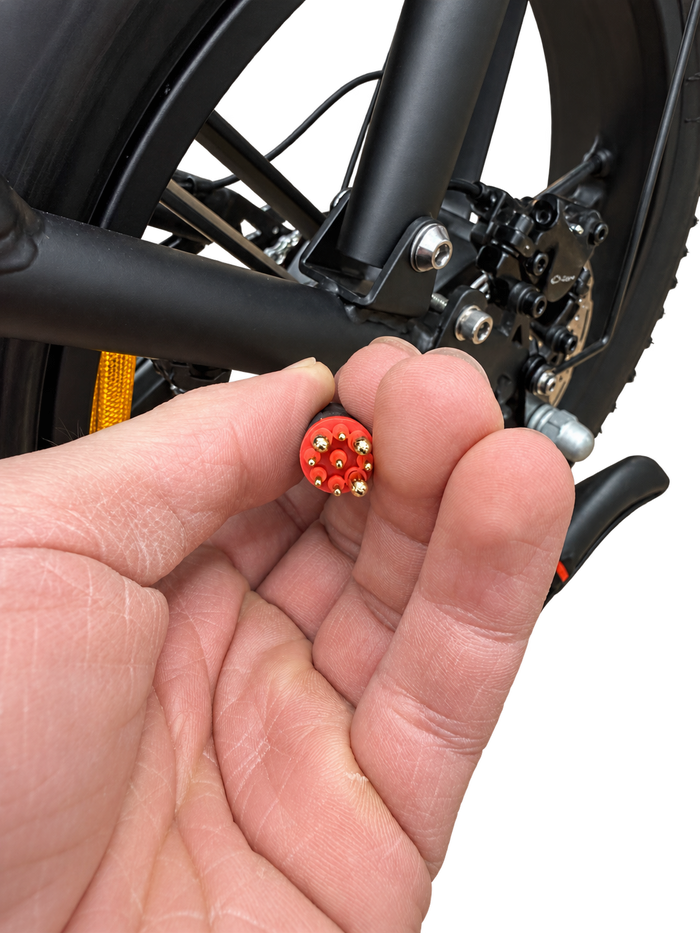
First select your motor connector's colour above. The relevant items will then appear.
Does this product fit your bike?
Matching colours do not guarantee a fit. Also compare voltage, connector shape, pins, generation and the controller/display combination. A compatible part does not automatically make the bike road legal.
Ultra, Pro and Max versions may differ from the base model. In particular, ask us to check the controller before purchasing.
No display is linked to this version for your selection. Ask us for help via WhatsApp.
The colour is inside the connector. Switch off the bike and remove the battery first. Have cutters and new cable ties ready if the cable is secured.
Start at the rear wheel
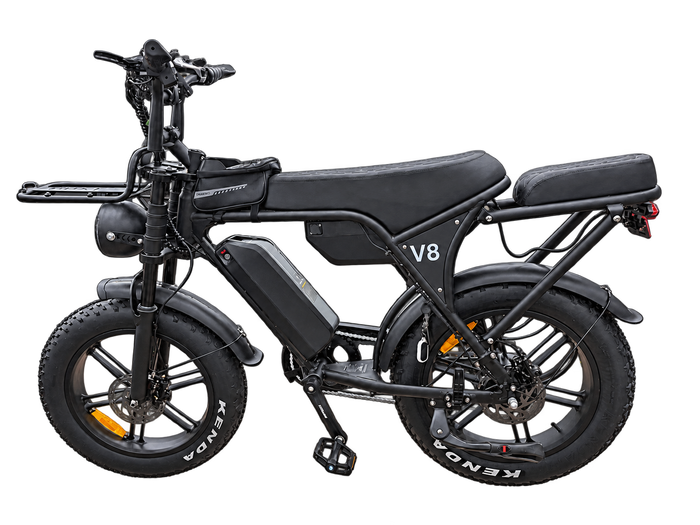
Put your bike securely on its stand. Find the thick cable coming out of the rear wheel motor.
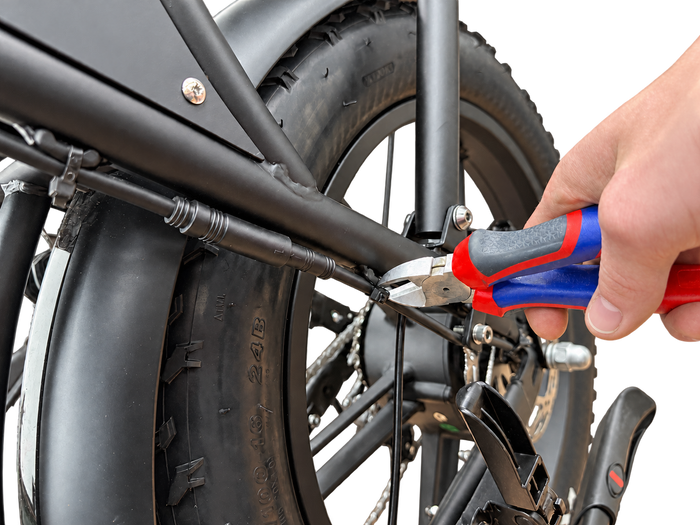
Follow the motor cable
Follow the cable to the first connector. Carefully cut the first cable tie if needed, keeping clear of the cable.
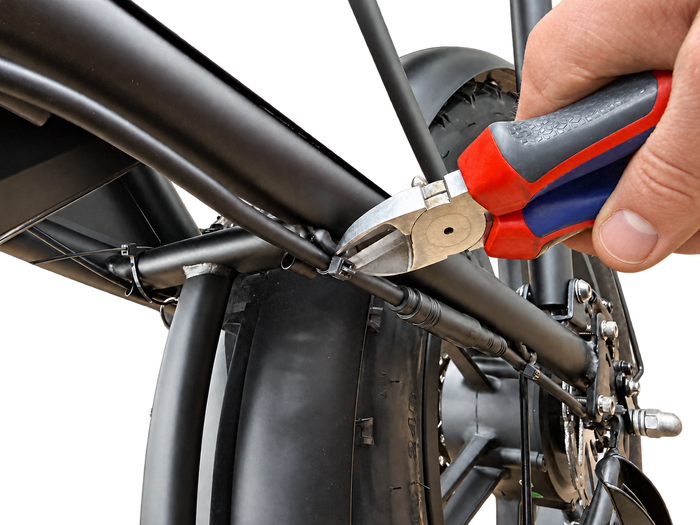
Free the connector
Remove the second cable tie if it is in the way. Make sure you can hold both connector halves.
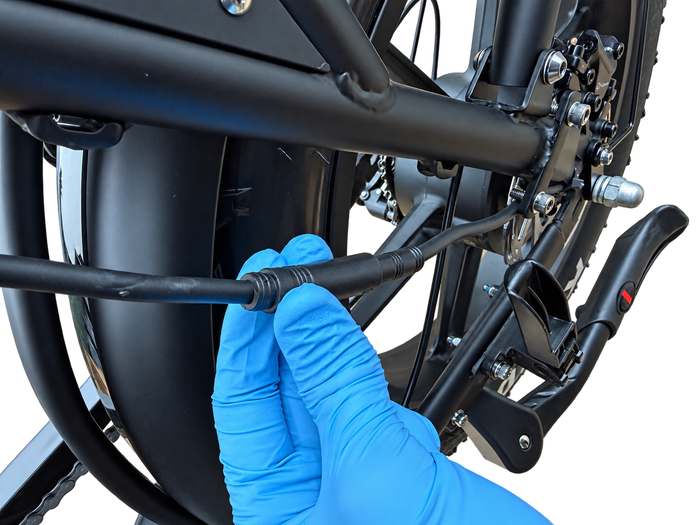
Hold the connector housings
Hold the two thick housings, never the wires. Release any threaded collar or locking mechanism first.
Separate the connector
Pull the halves straight apart. Do not twist or force them. If the connection is stuck, ask for help.
Look inside
Look at the insert around the pins: is it red or black? The outside colour does not count.
Finished? Align the markings and reconnect without putting force on the pins. Secure the cable with new ties and keep it clear of the wheel.
Do not infer motor power solely from connector colour or brake disc size. Use your motor's label and specifications.
Frequently asked questions
Are the displayed parts guaranteed to fit?
No. This selection is a guide based on model and version. Products and bikes can vary by generation. Read the full product information and ask us to assess the combination if unsure.
Can I connect any display to my controller?
No. Voltage, connectors and communication between the controller and display must match. A connector that physically fits does not prove that the combination works.
My fatbike or version isn't listed. What now?
Choose 'Mini / other model' and contact us. Send photos of the bike, model identification, current part and connectors. Do not order a part just because it looks the same.
What is the difference between a controller and a display?
The controller manages the assistance and motor. The display shows information and controls system functions. Both must match the bike's other electronics to work correctly.
Tunable parts can cause your bike to no longer comply with traffic rules. Do not use a non-compliant bike on public roads. Read the Dutch government's rules.